
Automating the Search for Expired Domain Names
Published on February 11, 2022
Finding good expired domain names can sometimes feel impossible. Whether you're building PBNs, doing spam, or just setting up a new site, the best domains are often already taken. I'm going to show you a straightforward method (along with the resulting list at the end) for scooping up overlooked gems on a daily basis before the domain snappers get to them.
Step 1: Finding Data Sources
Lists of Expired Domain Names
There are a good number of sites today that let you browse through lists of hundreds of thousands of expired domains. The best known and free option is ExpiredDomains.net.
There are also paid services such as PBNPremium -- which has its own crawler and offers features not found in ExpiredDomains: indexation status, historical traffic, and more.
In my example, we'll work with a pre-filtered list from ExpiredDomains.net.
What Makes a Good Expired Domain?
You could write an entire article on how to select a good expired domain. Everyone uses their own metrics depending on their tools, but one thing is certain: manual verification at the end of the process is always mandatory.
That said, here is what I consider the hallmarks of a good expired domain:
- The domain is still indexed in Google
- No brand names or spam in the domain name (Nike, Vuitton, etc.)
- The domain has multiple quality backlinks
Filtering on ExpiredDomains.net
The site provides a solid set of filters, including some SEO-specific ones (via Majestic). Let me walk you through the ones I use.

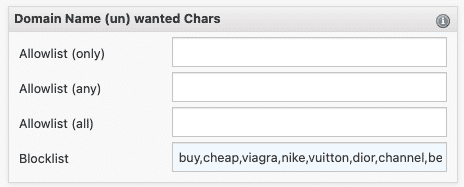
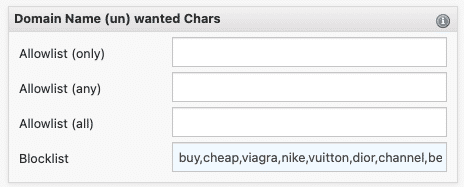
First, you can specify which words to exclude from the domain name. You can also exclude all recently created domains to avoid potential spammers who only use domains for a single year.

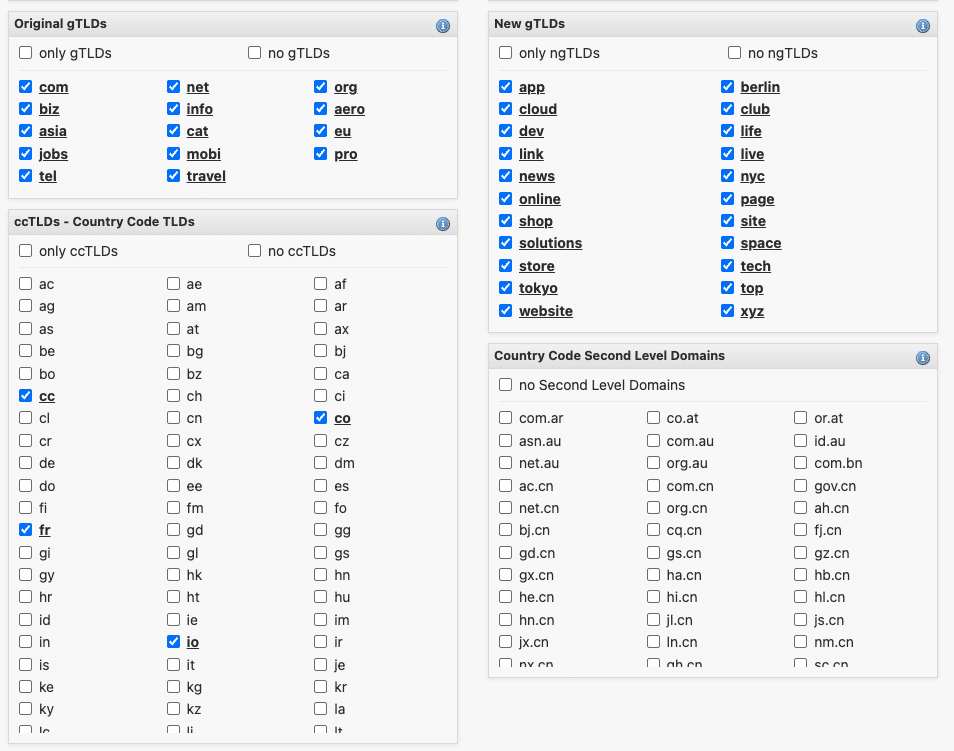
Obviously, you also add the filter to select only available domain names.
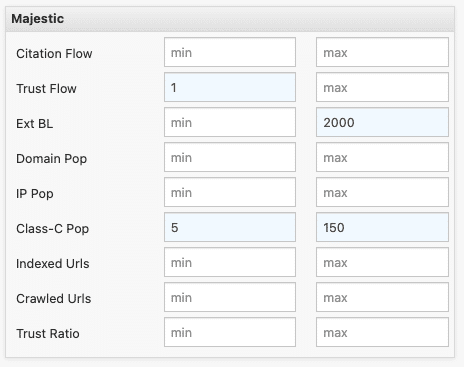
The last filter I use is quite subjective, but it dramatically reduces the list size. I set a minimum TF of 1 to remove all zero-TF domains. I also use the class-C pop filter (referring domains with distinct class-C IPs), with a range from 5 to 150.
With these filters applied, you end up with 6,000 to 8,000 domains per week, about 1,000 per day. That's still a lot.

Checking Domain Indexation
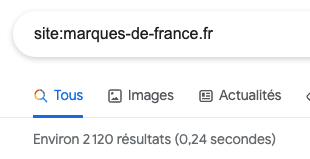
To check whether a domain is still indexed in Google, you enter the site: operator followed by the root domain (example.com).
Quality Backlinks
The notion of a "quality backlink" is subjective, but this approach works for most PBNs I build.
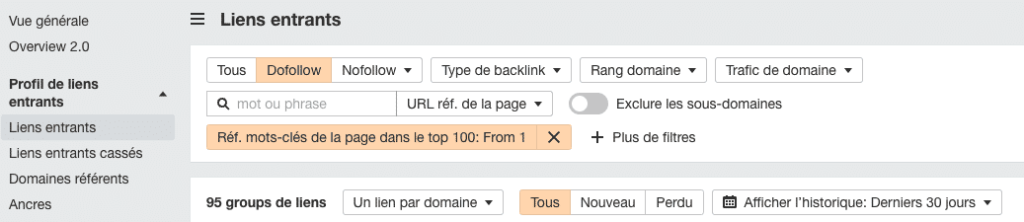
The simplest way to verify this data is through Ahrefs. In the "inbound links" section, I add the filters "dofollow" and "Ref page keywords in top 100" set to 1 -- and we get all dofollow backlinks ranking for at least one keyword.
Step 2: The Automation
Which Tools for Automation?
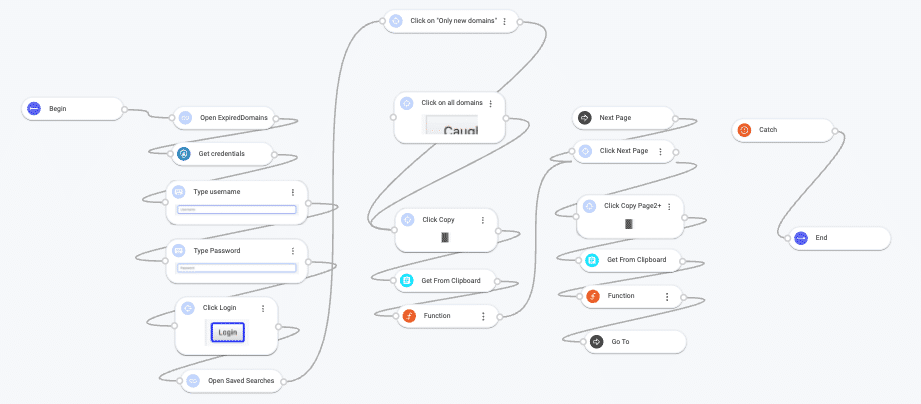
Automation isn't simple, but there are now "no-code" tools that make life easier. Old-timers know Zennoposter, but new tools have popped up since mid-2021: Hexomatic, Robomotion, and Pabbly.
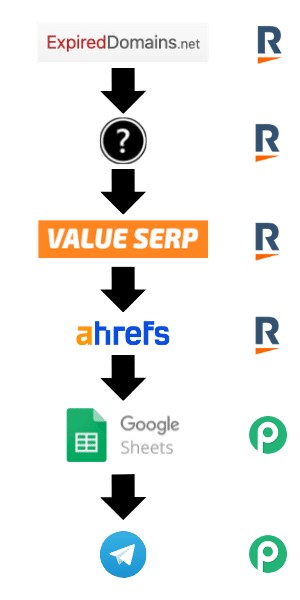
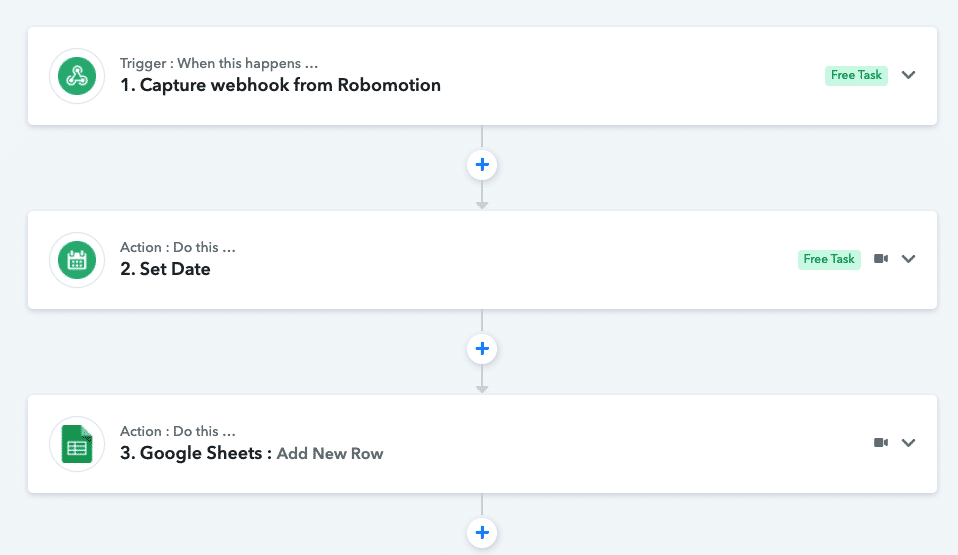
I decided to combine Robomotion with Pabbly webhooks.
Retrieving the Domain List
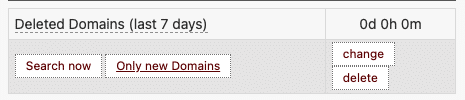
For this first step, I used Robomotion, which lets me open a browser and scrape the domain names page by page. The saved filter feature combined with the "Only new domains" button ensures I only process domains that have appeared since the last search.
Secret Sauce
We all have a little secret. This is mine, and it dramatically reduces the domain list to cut down on Ahrefs costs and indexation checks.
Checking Indexation
There are plenty of tools with their own APIs. I can mention IsIndexed.com and IndexedAPI.com, both developed by French developers. Personally, I use ValueSERP, which not only checks indexation but can also retrieve full SERPs.
Backlinks via Ahrefs
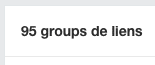
Once the previous steps are complete, there are on average 10 to 30 domains left to review per day. This keeps you from burning through your Ahrefs plan quota.
Pushing Domains to a Google Sheet
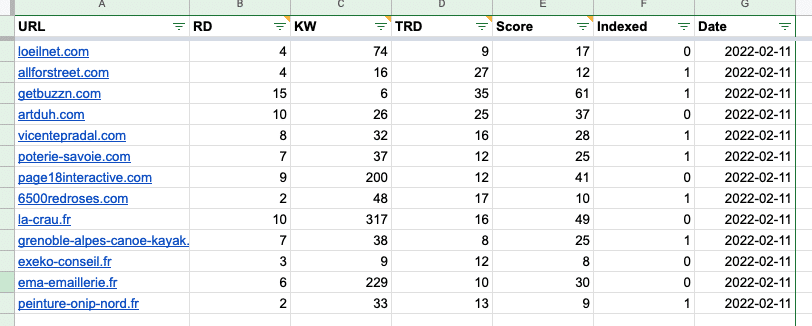
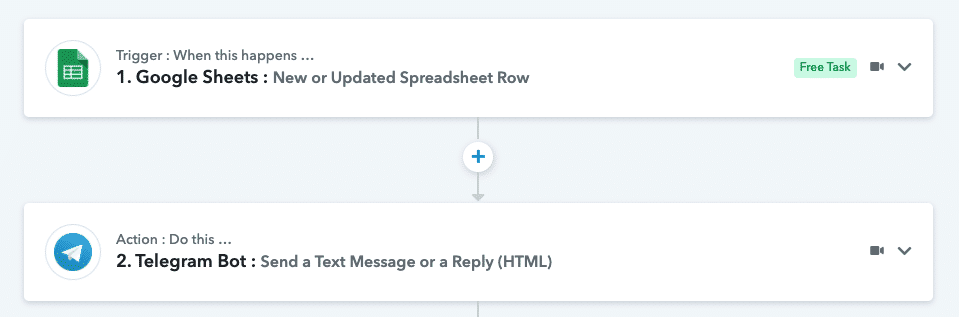
To keep a historical record, we use a Pabbly webhook. Every time a good domain is found, a new row is created in a dedicated Google Sheet.
Push to Telegram
To get notified directly on my phone, I set up a push to a Telegram channel created for this purpose.
Conclusion
There are still a few bugs in my automation. I run this script every 6 hours, but despite that frequency, some domains are already taken. Ideally, I'd verify domain availability via an API. Note: this doesn't eliminate the need for a final manual review, which typically filters out about two-thirds.
Update 01/26/2023: New domains are no longer posted to Telegram but to the Twitter account FRExpires.
Have a question, comment, or suggestion? Leave a comment and I'll reply as soon as I can!